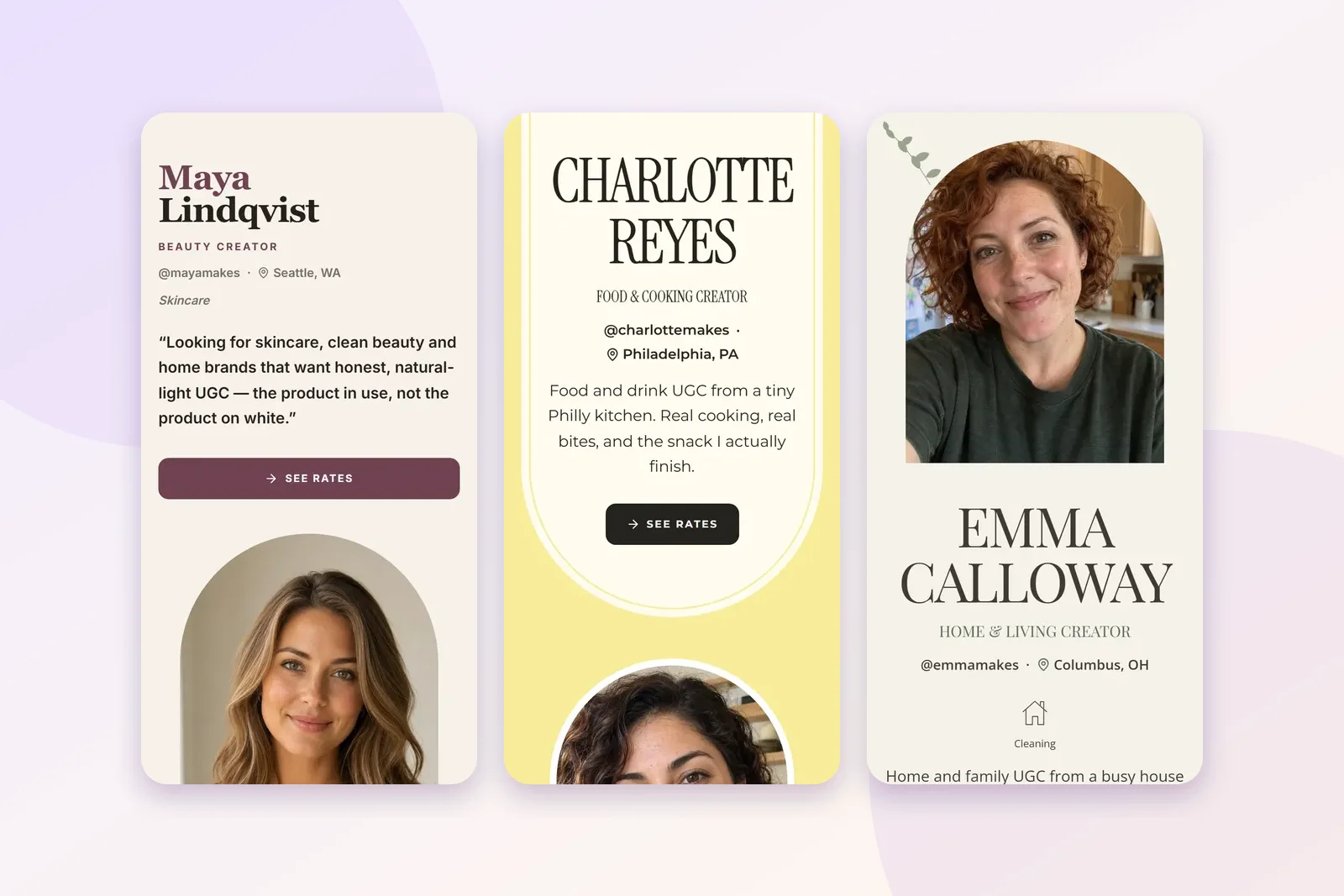
When someone new asks me where to start with UGC, I tell them to build the page before they send a single pitch. Every pitch ends with a link. If the link opens onto nothing, the conversation is over before it starts.
Quick definition first, in case the word is new to you. UGC stands for user-generated content: short, natural videos of a real person using a product. Brands pay creators to make them because they work better as ads than polished studio videos. The brand posts them on its own accounts, so you don't need followers to get paid for them.
What a UGC portfolio is
A UGC portfolio is one web page that shows a brand the videos you can make for them and how to hire you. It's the link at the end of every pitch, and it's how a busy marketer decides in about ten seconds whether to reply.
What goes on it
Five things. That's it.
- One to six samples. Short videos or photos with products. One is enough to publish.
- One line about you. Who you are, what you make, and who you make it for.
- The kind of brands you suit. Skincare, snacks, kids' products, pet gear. Brands want to see themselves on your page.
- Rates, or "ask for rates". A number makes it easy to say yes. If you aren't ready to post one, say how to ask.
- How to reach you. A button, a form, an email. Something a brand can tap.
Everything else is optional. I'd rather see a page with one great sample than a page with twelve so-so ones.
Step 1: Film a sample with something you own
You don't need a brand to hire you before you make your first video. Grab a product you already use, stand near a window, and film 15 to 30 seconds on your phone. A quick demo, an unboxing, or you talking to the camera about why you like it.
That's a sample. Brands call it spec work, and it's normal in every creative job. Just never make it look like a brand paid you when it didn't. If you have never filmed anything, the no-experience guide has three ideas you can shoot this week.
Step 2: Pick a layout
This is the fun part, and it shouldn't take long. Plug Pro has 18 free layouts , from calm and magazine-style to loud and playful. You can see every one of them in the template gallery, sorted by niche.
My advice is to pick the one that looks like your videos. If your content is soft window light and linen, go calm. If it's bright snacks on a pink counter, go bold. You can switch any time, and your videos stay where they are.
Step 3: Write your one line
This is the line under your name, and it does more work than anything else on the page. Say who you are, what you make, and who it's for.
"Skincare UGC for sensitive skin, filmed in natural light" is bookable. "Lifestyle content creator" isn't, because a brand can't picture what it would get.
If you're stuck, fill in this blank: "I make [kind of video] for [kind of brand] that want [the feeling]." Then cut every word you can.
Step 4: Add rates
I know this step makes people nervous. You don't have to get it perfect. A first single video usually sits somewhere in the $25 to $150 range, depending on your niche and how polished it is. The pricing guide walks through how to pick your number.
If you really can't post a price yet, "Ask for rates" is fine. But a page with a price and an order button gets you past the awkward back-and-forth, and that's usually where small deals die.
Step 5: Publish, then put the link in your pitch
Hit publish. Put the link in your bio. Then put it at the end of every pitch you send. The pitching guide has the message itself.
Don't wait for the page to feel finished. It never will. Add samples as you film them, and the link stays the same.
Mistakes that make brands close the tab
Picture a brand contact opening your link on their phone between meetings. These are the things that end it fast:
- An empty page. No samples, or a "coming soon". A brand won't wait for you.
- Twelve attachments instead of a link. Nobody downloads files from a stranger. Send one link.
- No way to reach you. If a brand likes you and can't find a button, they move on to the next creator.
- A desktop-only design. If it's built for a laptop screen, it looks broken on a phone, and a phone is often where a pitch gets read.
- No line about you. A grid of videos with no context makes the brand guess what you do. They won't.
How I'd do it tonight
Film one sample. Pick a layout. Write your line. Add a rate or "ask for rates". Publish. That's an evening, and at the end of it you have a link you can pitch behind tomorrow.
If you want to do it on Plug Pro, the free UGC portfolio is where to start. Free pages show up to six pieces of work, every layout is free, and no plan takes a cut of what brands pay you.