Go from brief to delivered, without leaving the deal
Workbench is Plug Pro's production layer on each deal. It turns the brand's brief into hooks, a script, and a shot list drafted in your voice, keeps every raw clip through to the final master in one library, and runs a brief-check that flags a missed must-say before you deliver. It is part of the Full Access plan.
Flat monthly price · zero per-deal fees · keep 100%
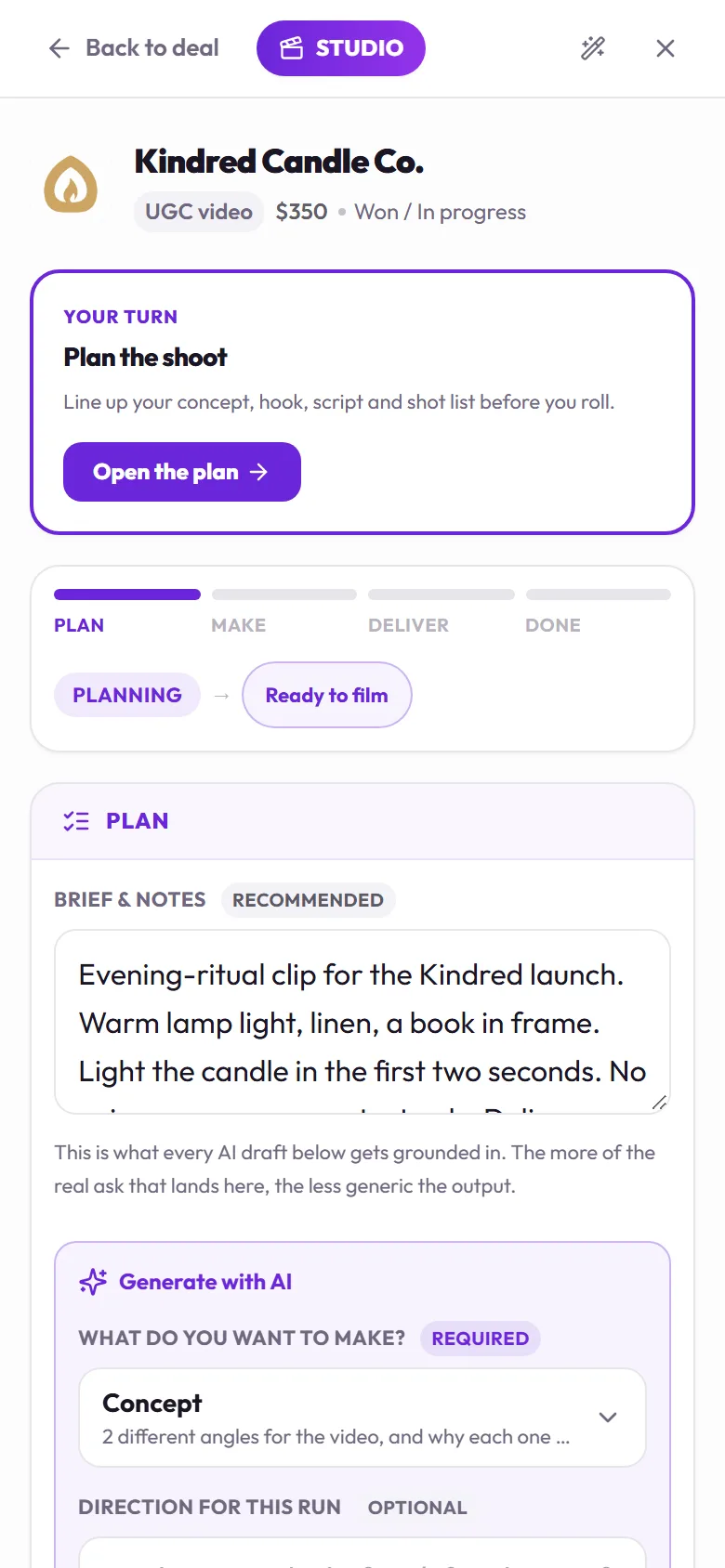
Captured on a demo account. The brands are fictional.
AI drafts, your voice
Generate hooks, concepts, and a script grounded in the actual brief and your learned style — a starting point you edit, never a black box.
One asset library
Raw footage, drafts, and the final master live on the deal — promote a take from raw to master without hunting through folders.
Brief-check before you ship
A quick check flags what the brief asked for against what you're about to deliver — catch a missed must-say before the brand does.
How do I go from a brand brief to a delivered video?
The production layer sits right on the deal — no separate app to open.
Start from the brief
The deal's brief and your style guide seed the project — Workbench never invents brand facts you didn't give it.
Draft hooks & a script
AI-assisted concepts, hooks, and a script in your voice — a draft to edit, not a final answer.
Shoot & organize
Raw clips and edits land in one library — promote your best take from raw to draft to final to master.
Check, then deliver
A brief-check flags anything the delivery is missing before it ships to the brand.
Why use Workbench instead of a folder and three apps?
What it takes to go from a brief to a finished delivery.
Questions, answered
Is Workbench included?
Workbench is part of the Full Access plan, alongside the pipeline, invoicing, and licensing. Nothing else on Plug Pro depends on it: you can run a deal end to end without opening Workbench, and use it only when you want AI drafts, the asset library, or the brief-check on a specific deal.
Does the AI just make up brand details?
No. Every draft is grounded in the deal's real brief and your learned style, and it is scope-locked to that one task, so it cannot invent a product claim the brand never made. It is a starting draft you review and edit in your own voice, never an auto-published final.
What does 'promote to master' mean?
As you produce, footage moves through four stages on the deal: raw, draft, final, and master. Promoting a take to master marks it as the one that ships to the brand; everything before it stays in your private working files, so the brand only ever sees what you chose to deliver.
What does the brief-check actually catch?
It compares your delivery against the brief's stated requirements before the brand sees it: a missing must-say line, the wrong format or aspect ratio, or a length outside what was asked. You fix it before sending instead of hearing about it in a revision request a week later.
Produce the deal without leaving Plug
Start free — no card. Workbench is part of the Full Access plan.