Send it, track it, know when it's paid
Plug Pro invoices a brand with a pay page filled in from the deal's agreed price and terms. The brand pays your own Stripe, PayPal, Venmo, or Cash App directly, Plug never holds the money, and with auto-confirm on the deal marks itself paid. There is no per-deal fee; only your processor's standard fees apply.
Flat monthly price · zero per-deal fees · keep 100%
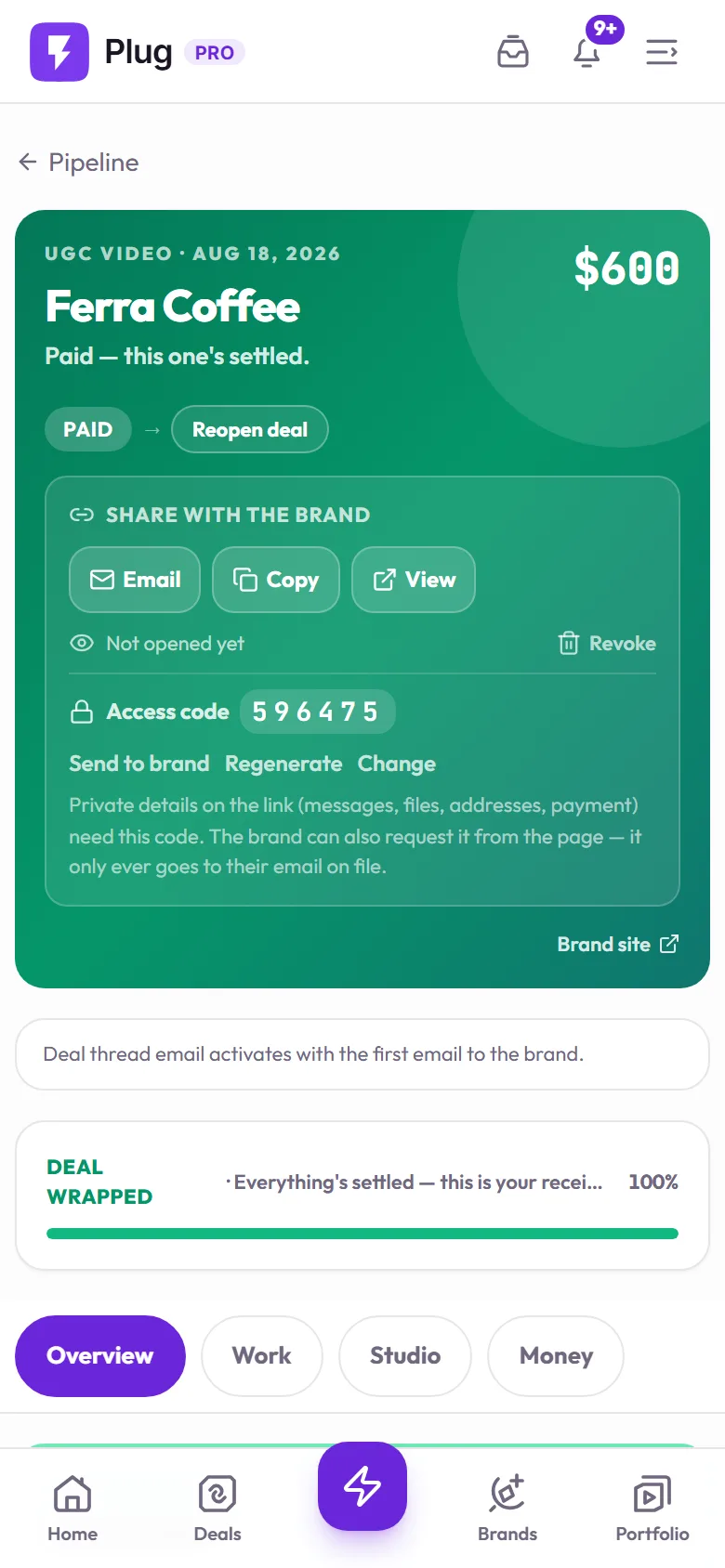
Captured on a demo account. The brands are fictional.
One link, auto-filled
The pay page pulls the amount and terms straight from the deal — no rebuilding an invoice from scratch every time.
Your own accounts
Stripe, PayPal, Venmo, or Cash App — the brand pays directly into an account you control. Plug never holds or touches the money.
Status that updates itself
Paid, pending, overdue — tracked on the deal automatically instead of a mental note or a separate spreadsheet.
How do I invoice a brand and get paid?
Every step stays on the same deal record.
Agree the price
Price and terms get locked on the deal — the same number the pay page will show.
Send the pay page
One link, auto-filled with the deal's amount and terms — no manual invoice to build.
Brand pays directly
Your own connected Stripe, PayPal, Venmo, or Cash App — the money never routes through Plug.
Status updates itself
Optional auto-confirm marks the deal paid the moment the payment lands, or confirm it yourself in one tap.
The deal knows when the money landed
Send it, track it, know when it's paid.
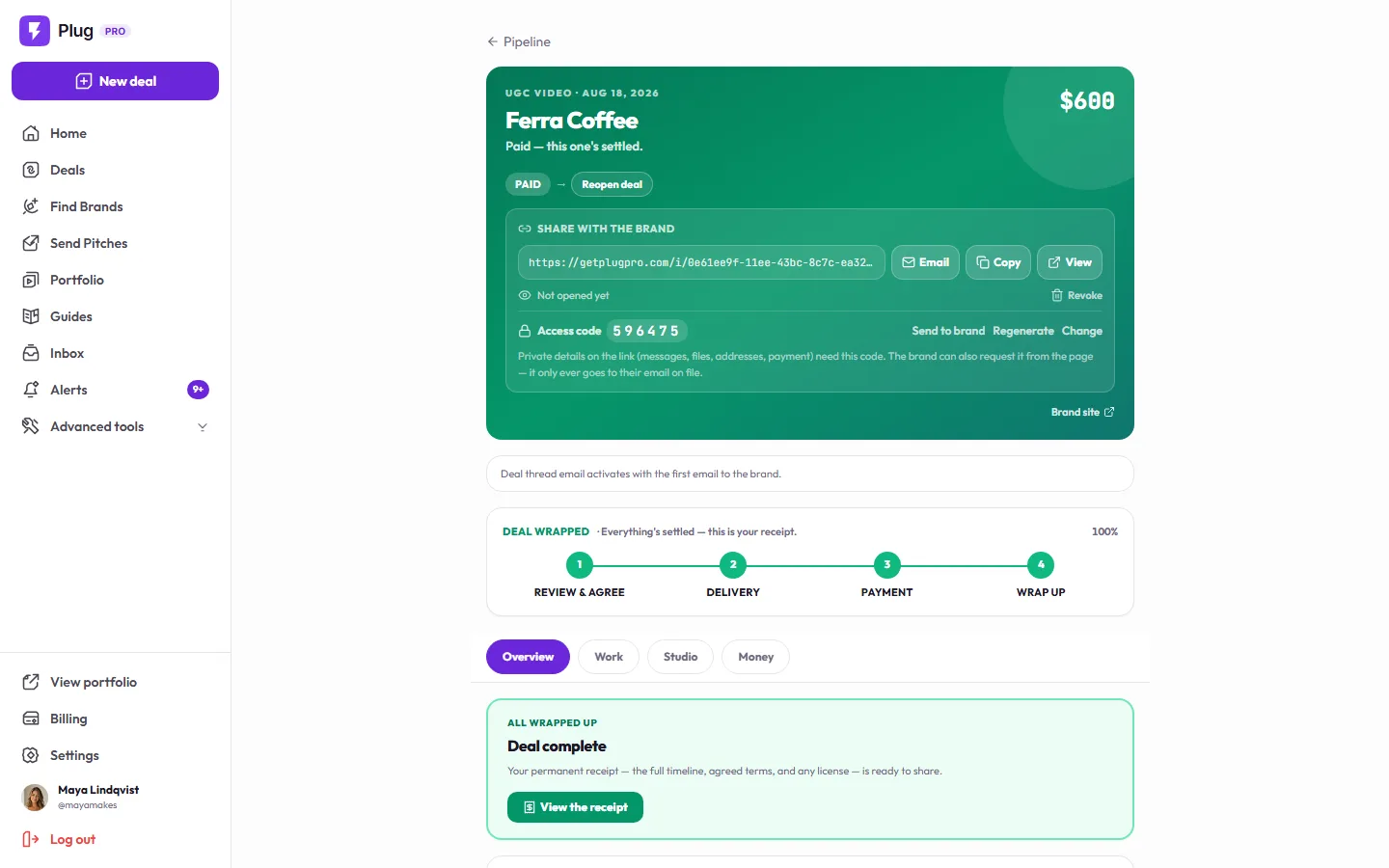
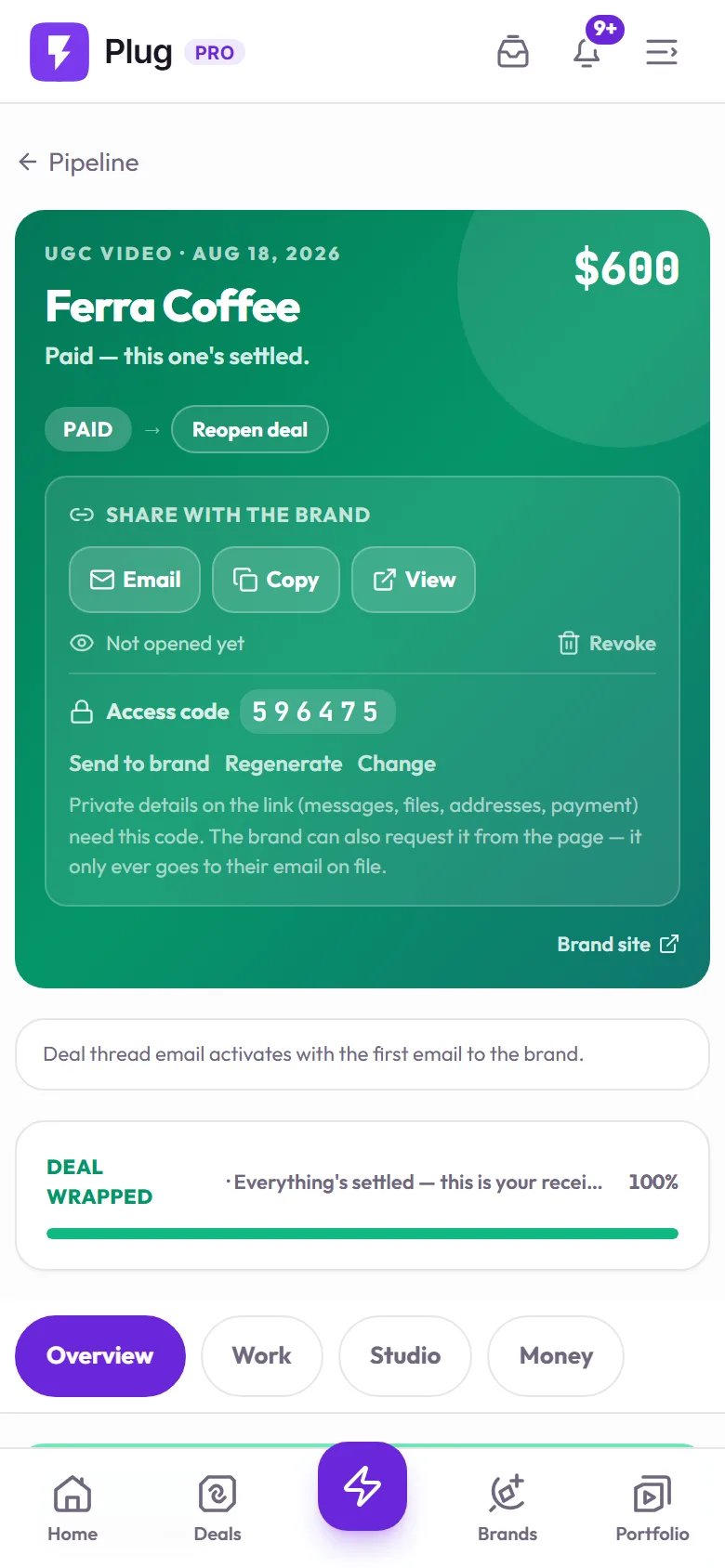
Captured on a demo account. The brands are fictional.
Is a pay page better than emailing a PDF invoice?
What changes when the invoice lives on the deal instead of in your inbox.
Questions, answered
Does Plug Pro hold or process the payment?
No. The pay page is a clean summary of the agreed deal with your own payment rails on it: the brand pays directly into your Stripe, PayPal, Venmo, or Cash App, and Plug never touches the money. That means no escrow, no processing cut, and no payout hold on your end.
Do I have to manually mark a deal as paid?
You can mark it paid by hand, or turn on auto-confirm for Stripe or PayPal so the deal marks itself paid the moment the payment actually lands in your account. Either way the status lives on the deal record, so you are never relying on the brand to tell you.
Can I build an invoice without a full Pro account?
Yes. The free Invoice Generator on our tools page makes a one-off PDF invoice with no signup. Inside Plug Pro, invoices go further: they are auto-filled from the deal's agreed price and deliverables, sent as a pay page the brand opens, and tracked until the payment is confirmed.
Does Plug Pro take a cut of what I'm paid?
No. Plug Pro is a flat monthly subscription with zero per-deal fees, so the amount on the pay page is exactly what lands in your account. Your own payment processor's standard fees still apply, because the brand pays you through it, but Plug adds nothing on top.
Stop chasing your own invoices
Start free — no card. Get paid directly — keep 100%.