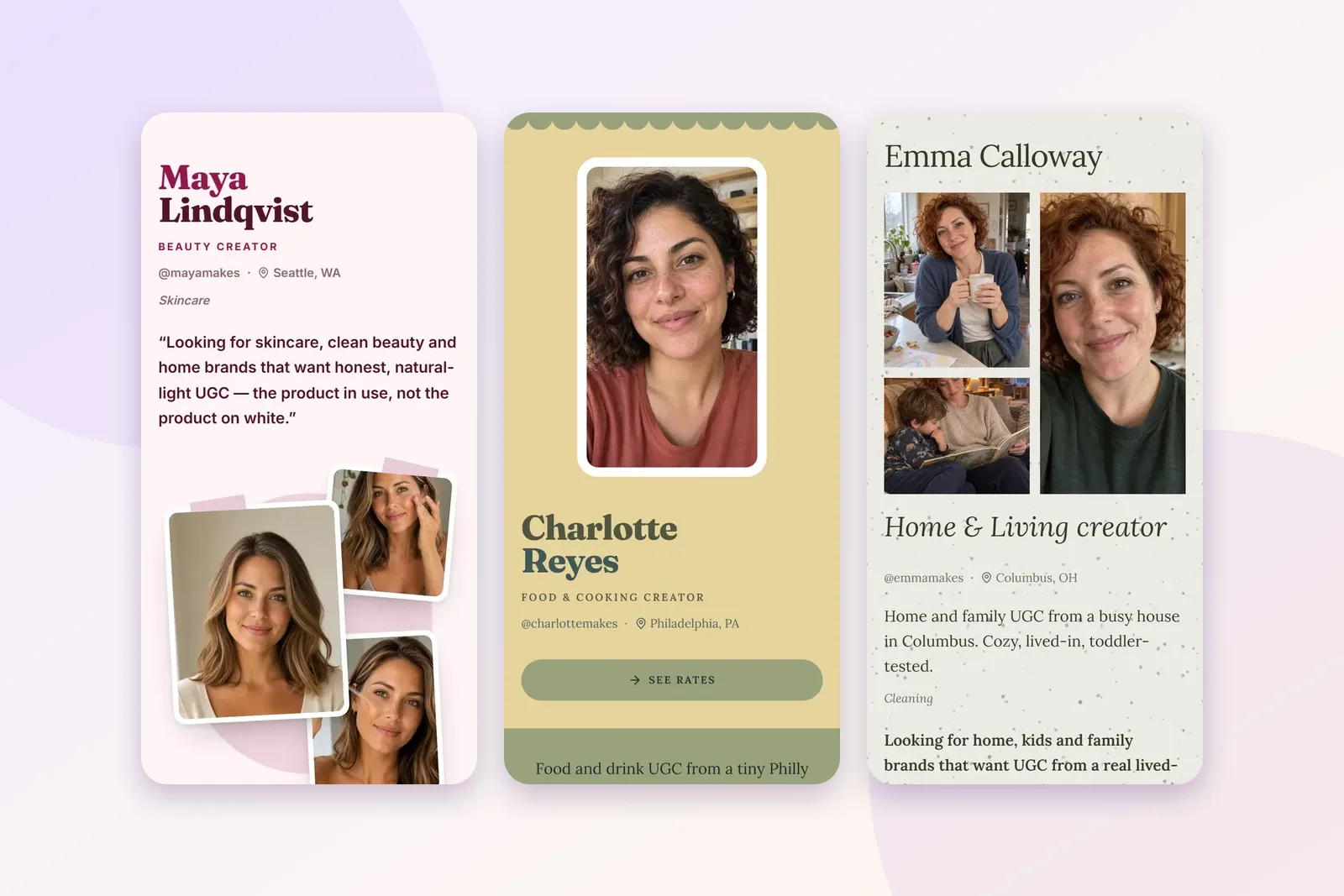
A lot of UGC creators build their first portfolio in Canva, and I get why. Canva is a great design tool. If you already make your thumbnails and story graphics there, building a website in the same place feels natural.
So this isn't a "Canva bad" post. It's how I'd decide between the two, and the honest answer is that some people should stay on Canva.
Quick definition if the word is new: UGC (user-generated content) means short, natural videos of a real person using a product, which brands pay creators to make and then post on their own accounts and ads. A UGC portfolio is the one page that shows a brand those videos and how to hire you.
When Canva is the right choice
- You love designing. Canva lets you place every element exactly where you want it. If that's fun for you, it's a real strength.
- You want your site to match your feed. Same fonts, same colours, same graphics you already use everywhere.
- Your portfolio does more than UGC. If you also want a page for photography, a blog or a shop, a general website builder makes sense.
- You already have one you're happy with. Don't rebuild something that works. Keep reading for how to add booking to it.
When a Plug Pro page fits better
- You want rates and booking built in. A Plug Pro page has packages with what's included and an order button on each one. A brand picks a package and sends the details, and you confirm. On a general site you'd design that part yourself and link out to a form or an email.
- You want it to look right on a phone without extra work. Plug Pro pages are built for phones first. Every layout is designed to read well on a small screen.
- You want to edit once. Change a price or add a video, and the link everyone already has shows the new version.
- You don't want to design. Plug Pro has 18 free layouts , and you pick one instead of building from a blank canvas. You can see them all in the template gallery.
Side by side
The Canva column only uses what Canva's own help center says about publishing websites for free. Plans change, so check Canva's pages for the latest before you decide.
| A free Plug Pro page | A Canva website on Canva Free | |
|---|---|---|
| Made for | UGC creators | Any kind of website |
| Your address | getplugpro.com/yourname | A free canva.site address (Link in Bio designs publish to canva.link) |
| Your own domain | Not offered today | Buy one through Canva; connecting one you already own needs Canva Pro, Teams or Education |
| Branding on free | A Plug Pro badge | A "Designed with Canva" footer, removed on Canva Pro |
| How many live sites | One page | Up to five on the free domain |
| Rates and booking | Packages, order button | What you design, plus a link you add |
| Making a change | Edit; the link updates | Edit, then republish |
Both have a branding mark on the free plan, which is fair. Plug Pro's badge goes away on the Full Access plan. Canva's footer goes away on Canva Pro.
You can do both
If you've already built a Canva site you love, you don't have to choose. Plug Pro has a website order button that works on Canva sites. You add the button image to your page and link it to your Plug Pro order link. When a brand clicks it and orders, the order lands in Plug Pro the same way it would from a Plug Pro page.
The order button guide walks through it for Canva step by step. Your site stays yours, and the booking part is handled.
What goes on it, whichever tool you pick
The tool matters less than what's on the page. Whether you build in Canva or on Plug Pro, a brand opening your link wants the same five things:
- One line about you. What you make and who it's for. "Snack and drink UGC filmed in a real kitchen" beats "content creator".
- Your samples, near the top. One is enough to start. Three to six shows range.
- Captions on each piece. "Three-step routine" or "first sip reaction" tells a brand what they're looking at.
- Your rates, or how to ask. A price makes it easy for a small brand to say yes.
- One way to book. A button a brand can tap on a phone.
If you're in Canva, check how the page looks on your own phone before you send the link. Canva's settings include a "Resize on mobile" option for websites, and it's worth turning on and previewing. A site that looks great on a laptop can look cramped on a small screen.
If you're on Plug Pro, most of this is already laid out for you. You fill in the line, add samples and set your packages, and the layout handles the rest.
How I'd decide
If you enjoy designing and already have a Canva site, keep it and add the order button. If you'd rather spend your time filming than designing, or you want rates and booking without building them, start with a free UGC portfolio on Plug Pro. Every layout is free, free pages show up to six pieces of work, and no plan takes a cut of what brands pay you.
Not sure what a good portfolio looks like in either tool? The examples guide takes apart three demo pages so you can see what to copy.