A reply isn't a deal yet. The next message decides which way it goes, and a first pitch only gets three kinds of reply. Each one has an answer I'd send.
Answering it in Plug
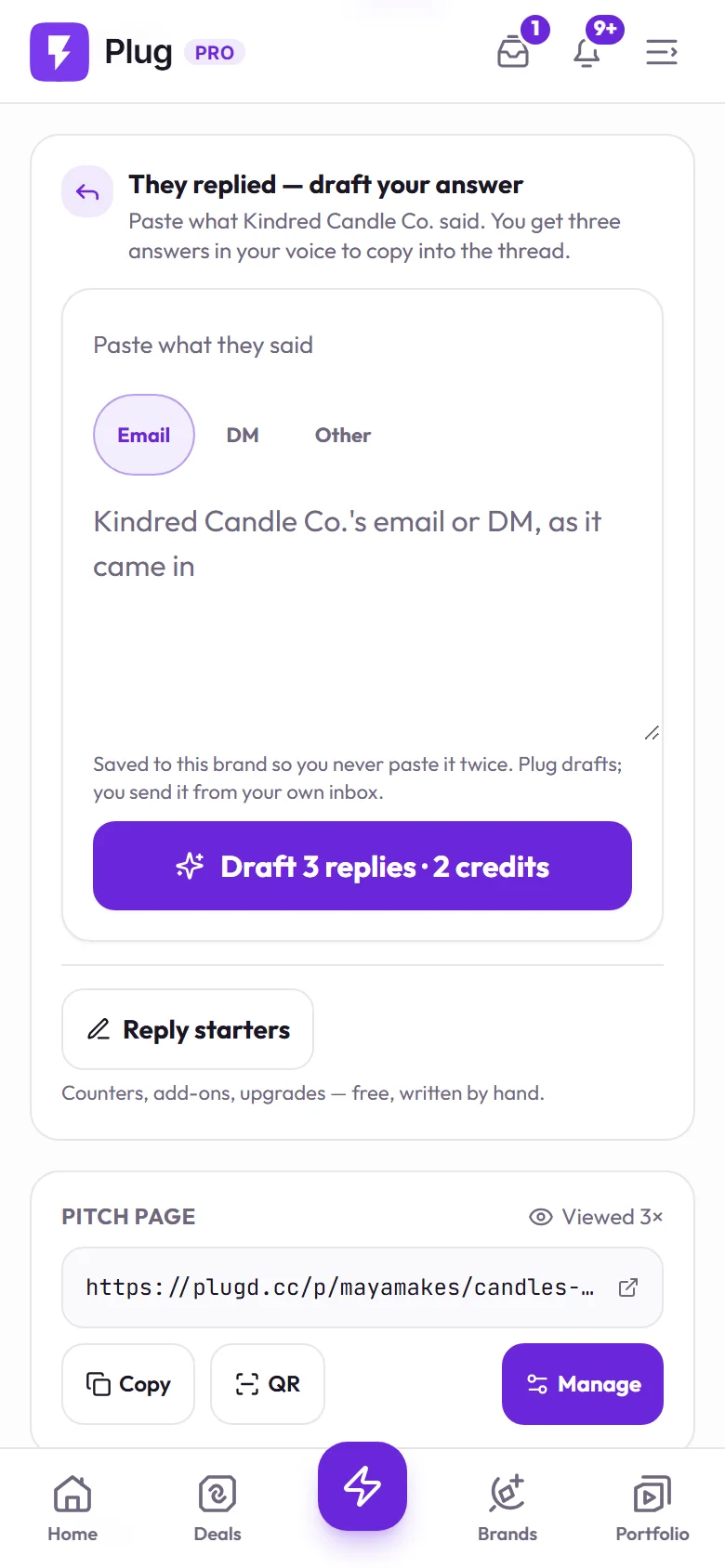
Tap "They replied" on the pitch and paste what they said. On Full Access, Plug drafts three answers in your voice to copy into the thread. On every plan, the reply starters beside it are free. You send it from your own inbox.
"What's your rate?"
Give a number. "What's your budget?" or "open to anything" reads as someone who hasn't done this. Two quick questions first are fair: what format they want, and whether it runs on their channels or yours. Then a starting rate, and the note that running it as a paid ad is priced separately.
"We can send product"
Ask yourself four things: would you have bought it, do you want this brand in your corner, does it fit what you make, and is the ask small. Four yeses make it a fair portfolio play. If it arrives with a paid deal's list of deliverables, it's unpaid work.
Either way, put the paid option in the same reply: "Happy to do this one as a gifted collab, and if there's budget for a paid piece I can send a rate."
"Yes"
Before you film, four things go in writing in the email thread: what you'll make, the price, when it's due, and what they can do with it. Three sentences is enough. Every messy deal starts with one of those four assumed.